Tuesday, May 31, 2011

SharePoint - Server error: The URL is invalid, it may refer to a nonexistent file or folder or refer to a valid file that is not in the current Web


Scenario:


SharePoint Designer throws the error "Server error: The URL is invalid, it may refer to a nonexistent file or folder or refer to a valid file that is not in the current Web" when you attempt to open/check-in/check-out/upload a file.

Explanation:

While there could be many reasons for this misleading error to show up, one of the reason is low disk space in the database server.

I noticed that the transaction log file for the SharePoint_Config database, "SharePoint_Config_Log.LDF" (resides in \Program Files\Microsoft SQL Server\MSSQL.1\MSSQL\Data in our case) has grown enormously to 28 GB which is approximately 70% of the space in that drive.

Solution:

Take a backup of the log file it required.
Just run the below scripts to truncate the log file:

SQL Server 2008:

USE [master]
GO
ALTER DATABASE[SharePoint_Config] SET RECOVERY SIMPLE WITH NO_WAIT
GO
USE [SharePoint_Config]
GO
DBCC SHRINKFILE ('SharePoint_Config_Log')
GO
ALTER DATABASE[SharePoint_Config] SET RECOVERY FULL WITH NO_WAIT
GO
USE [SharePoint_Config]
GO

SQL Server 2005:

BACKUP LOG [Sharepoint_Config] WITH TRUNCATE_ONLY
USE [SharePoint_Config]
GO
DBCC SHRINKFILE (N’SharePoint_Config_log’ , 50)
GO

The file "SharePoint_Config_Log.LDF" is now 504 KB.
The server is happy now and running fine.


Friday, May 27, 2011

SharePoint 2010 - Buggy SPSecurityTrimmedControl and a workaround

Scenario:


The SPSecurityTrimmedControl control in SharePoint is incomplete and buggy.
Information about the bugs in this control are not provided by MSDN either.

In this post, I will try to explain the bug in the SPSecurityTrimmedControl and a solution to get over it.

Explanation:


The SPSecurityTrimmedControl  allows us to display/hide the content using a few different criteria, like authentication (for anonymous/authenticated users only), page mode (page in display or edit mode) or current user’s permissions.

So what's wrong?


The control doesn’t work the way you would expect it.
It does a good job with displaying content based on permissions but fails to conditionally display content based on authentication(anonymous/authenticated users).

That means using this control, you can hide an element from users who do not have the appropriate permissions.
Srini Sistla has a good post explaining all the available permissions here

This control also has the so called ability to show/hide content based on authentication(anonymous/authenticated users).

You would need to use the property "AuthenticationRestrictions" which can take any of these values:


  • AllUsers
  • AuthenticatedUsersOnly
  • AnonymousUsersOnly


For Ex:

<SharePoint:SPSecurityTrimmedControl runat="server" id="stc" AuthenticationRestrictions="AnonymousUsersOnly"> <p>User is not logged in</p></SharePoint:SPSecurityTrimmedControl>

In case if you try to use this control in the above manner, it wont give you the desired results.

Examine the below screenshots and you understand it better.

Test 1: Tried with "AnonymousUsersOnly"


I tried to access the page as an anonymous user and below is the output. So test failed


Test 2: Tried with "AuthenticatedUsersOnly"


I tried to access the page as an authenticated user and below is the output. So test passed


Solution:


The solution is to use the LoginView control if you need to show/hide content based on authentication.
The LoginView control provides the following templats:

  • AnonymousTemplate - Controls to show to anonymous users only
  • LoggedInTemplate - Controls to show to authenticated users only

Test 3: Tried both AnonymousTemplate & LoggedInTemplate

I tried to access the page as an authenticated user and below is the output. Test passed
I tried to access the page as an anonymous user and below is the output. So test passed


Sunday, May 22, 2011

SharePoint 2010 - Access denied for users that have full control on the site

Scenario:
  • Users get "Access Denied" over the whole site, despite having Full Control permission
  • Site Collection Administrators have no problem logging in
Explanation:

A SharePoint 2010 site that uses claims-based authentication has been extended to Intranet zone that uses AD as well as FBA. The site has number of users in the default owners and members groups.

All the site users always get access denied over the whole site even though they clearly have access to the site through the site groups.

Site Collection Administrators are allowed to access the site and have no problems logging in.

Resolution:


Make sure that all the Master page, CSS files, any other files that are required are published.
If there are files that are required in the master pages and are not published, users will get access denied even if they have full control on the site.

If you are ok with giving all authenticated users atleast road-only access to all files inorder to prevent the access denied problem, then you can try the below.

Add a new "User Policy" for the web application that allows "All Authenticated Users" the permissions "Full Read" on the desired zone.

To add a new User Policy:


Go to Central Administration
Click on Application Management
Click on Manage Web Applications

Choose the desired web application:


Click on "User Policy"


Click on "Add Users" to add a new User Policy:


Select the zone that you want to apply the new policy to. If you are not sure what to choose, leave the defaut value selected (All Zones) and cick next


Choose the permissions that you would like to give to the user(s) in this new user policy. If you do not want to give the user(s) full permission, choose "Full Read". This permission ensures that all the users in this policy can atleast access the site. Then click on "Browse" icon in the "Choose Users" area.


If you would ike to give All Authenticated Users / AD users / FBA users "Full Read" access, then choose the appropriate group(s).
In the next screens, click OK to get out of the wizard.
Your new user policy should be ready now.

Tuesday, May 17, 2011

Sharepoint 2010 - An exception occurred when trying to issue security token: The server was unable to process the request due to an internal error

Scenario:

You receive the below exception when you try to logon to a site that has been configured to use Claims Based Authentication with a custom membership provider using FBA credentials:

Event ID from Event Log  - 8306

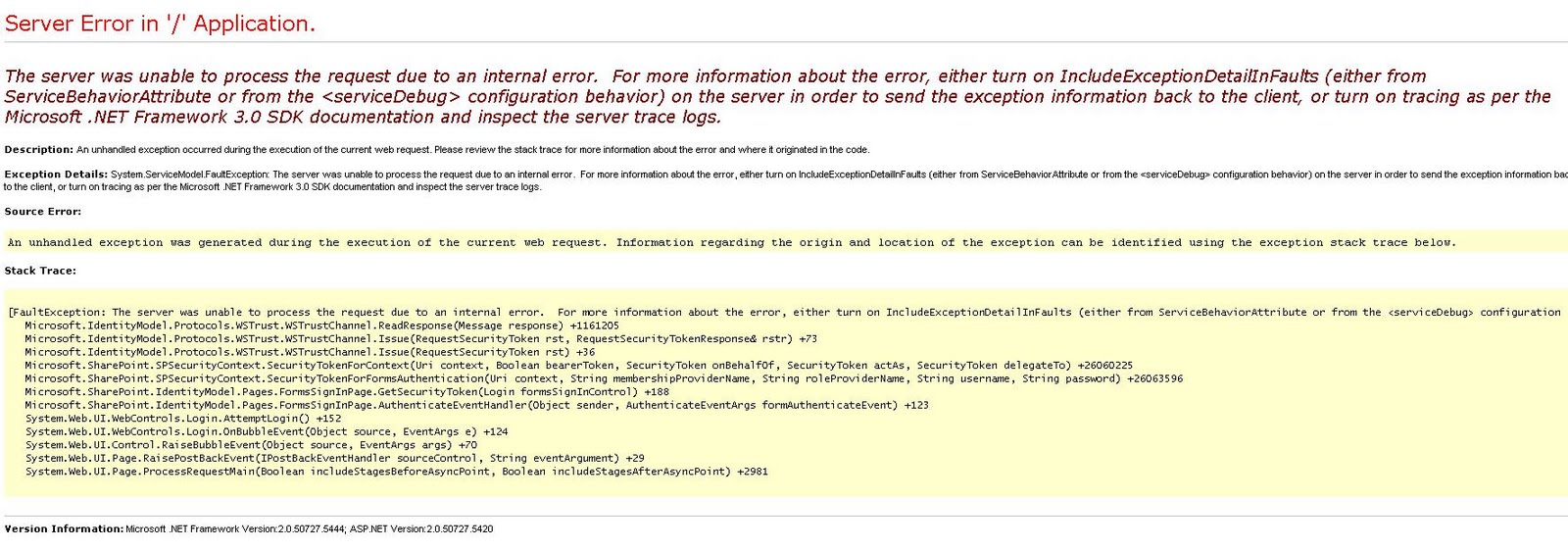
An exception occurred when trying to issue security token: The server was unable to process the request due to an internal error.  For more information about the error, either turn on IncludeExceptionDetailInFaults (either from ServiceBehaviorAttribute or from the <serviceDebug> configuration behavior) on the server in order to send the exception information back to the client, or turn on tracing as per the Microsoft .NET Framework 3.0 SDK documentation and inspect the server trace logs..

Explanation:

This error started to appear in our QA environment which does not have Visual Studio installed. I have tried starting the service "Claims to Windows Token Service" but that did not help either.

I have made sure that all configuration changes required for FBA have been made properly in the below web.config files:
  • Web Applications
  • CA Web Aplication
  • \14\WebServices\SecurityToken
This post can get you started with building a custom membership provider and making changes to the required configuration files.


Resolution:

To view more information about the actual error that is preventing the secure token service from being able to issue security token, I added the service debug in the web.config for the web service, under \14\WebServices\SecurityToken:
<serviceDebug includeExceptionDetailInFaults="True" httpHelpPageEnabled="True"/>
After adding the above to SecurityToken's web.config, the event log reported the below:


An exception occurred when trying to issue security token: The configuration section for Logging cannot be found in the configuration source..

I then realized that it is Microsoft.Practices.EnterpriseLibrary.Logging from my custom membership code that is causing the issues and not FBA configuration as I originally thought.

I then went ahead and added the required configuration for Microsoft.Practices.EnterpriseLibrary.Logging

Everything after that worked as desired. 

So I strongly advice everyone not to panic and take such drastic steps as re-installing SharePoint 2010 etc..
When I googled for this error, many people suggested to reinstall SharePoint 2010, change server names, etc..

Remember that these things happen for a reason. It just requires some patience to figure out the exact problem.

Sunday, March 27, 2011

How to fix troubles with internet access in a Windows Server 2008 Std VM that is configured as a domain controller

Scenario:
No internet in domain controller Windows Server 2008 VM? How to fix troubles with internet access in a VM that is configured as a domain controller?

Explanation:
Installed SharePoint Foundation in a Windows Server 2008 Std VM.
Before configuring the server as a domain controller, the VM had access to internet.
Soon after configuring the VM as a domain controller, the server could not access internet from the host machine.

Solution:
After hours of troubleshooting, the below worked :

Go to Control Panel\Network and Internet\Network and Sharing Center

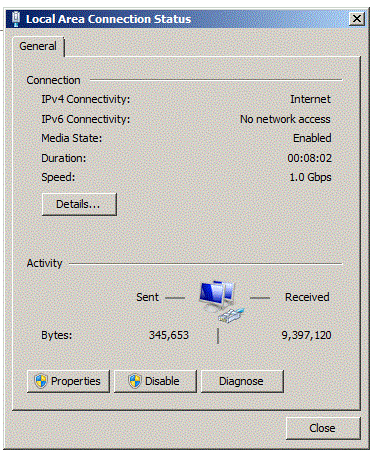
Click Local Network Connection:


Click Properties:


Highlight Internet Protocal Version 4 (TCP/IPv4) and click Properties:


Make sure to choose "Obtain IP Address automatically" and "Obtain DNS server address automatically"

Repeat the same step for IPv6 as well..

Disclaimer: I am not a network admin. This just happened to work for me. I am sharing this so that it could just save some time for some one with the same problem.

PowerShell - How to use named optional parameters in PowerShell?

Scenario:
How to use named optional parameters in PowerShell?

Explanation:
I always wondered whether it is possible to use named optional parameters in PowerShell scripts.
The below script explains how to accomplish it.

Solution:
param([string]$SolutionPath = "", [string]$WebApp = "")
The above line tells PowerShell to extract values from parameters "SolutionPath" and "WebApp".
These values will be used in PowerShell with the same names ($SolutionPath and $WebApp)

Lets save the below code into a ps1 file and name it "NamedParameters.ps1"
#IMPORTANT - The below line should be the first line. There should be nothing before the below line.
param([string]$SolutionPath = "", [string]$WebApp = "")

Write-Host "Solution Path: $SolutionPath"
Write-Host "Web App: $WebApp"
Run the script that we just developed:
.\NamedParameters.ps1 -SolutionPath "D:\Ironworks.SharePoint2010.Features.Core.wsp" -WebApp "http://ironworksdev.com" 
Output:
Solution Path: D:\Ironworks.SharePoint2010.Features.Core.wsp
Web App: http://ironworksdev.com
.\NamedParameters.ps1 -SolutionPath "D:\Ironworks.SharePoint2010.Features.Core.wsp" 
Output:
Solution Path: D:\Ironworks.SharePoint2010.Features.Core.wsp
Web App:
.\NamedParameters.ps1 -WebApp "http://ironworksdev.com" 
Output:
Solution Path:
Web App: http://ironworksdev.com

Hope that this helps someone.

How to build a dynamic query for SPQuery with multiple OR conditions programatically?

Scenario:
How to build a dynamic query for SPQuery object with multiple OR conditions programatically?

Explanation:
In this post, I will try to explain how to build a query for SPQuery object with multiple OR conditions dynamically.

For example: If a programmer attempts to get list items from a list with IDs 1,2,5, 9 and 13 dynamically, he would need to build a query for SPQuery with multiple OR conditions.

The below query seems to work at first glance but it does not work:
<Query>
  <Where>
    <Or>
      <Eq>
        <FieldRef Name="ID" />
        <Value Type="Counter">1</Value>
      </Eq>
      <Eq>
        <FieldRef Name="ID" />
        <Value Type="Counter">2</Value>
      </Eq>
      <Eq>
        <FieldRef Name="ID" />
        <Value Type="Counter">5</Value>
      </Eq>
      <Eq>
        <FieldRef Name="ID" />
        <Value Type="Counter">9</Value>
      </Eq>
      <Eq>
        <FieldRef Name="ID" />
        <Value Type="Counter">13</Value>
      </Eq>
    </Or>
  </Where>
</Query>

The reason why the above query does not work is because there is a hard limit set by SharePoint's SPQuery object to 2 items within an OR condition. The above code would only work for maximum of 2 items:
<Query>
  <Where>
    <Or>
      <Eq>
        <FieldRef Name="ID" />
        <Value Type="Counter">1</Value>
      </Eq>
      <Eq>
        <FieldRef Name="ID" />
        <Value Type="Counter">2</Value>
      </Eq>
    </Or>
  </Where>
</Query>

The correct query for SPQuery should look like the below:
<Query>
  <Where>
    <Or>
      <Eq>
        <FieldRef Name="ID" />
        <Value Type="Counter">1</Value>
      </Eq>
      <Or>
        <Eq>
          <FieldRef Name="ID" />
          <Value Type="Counter">2</Value>
        </Eq>
        <Or>
          <Eq>
            <FieldRef Name="ID" />
            <Value Type="Counter">5</Value>
          </Eq>
          <Or>
            <Eq>
              <FieldRef Name="ID" />
              <Value Type="Counter">9</Value>
            </Eq>
            <Eq>
              <FieldRef Name="ID" />
              <Value Type="Counter">13</Value>
            </Eq>
          </Or>
        </Or>
      </Or>
    </Or>
  </Where>
</Query>

Solution:
The below code could be used to build a dynamic query for SPQuery object in SharePoint that works with multiple OR conditions:

First we need a data structure that holds all the list item ids.
For this demo, I will create a custom object called "CustomSPItem" and use a generic list collection of my custom objects as data source.

My custom class:
class CustomSPItem
{
    /// <summary>
    /// ID from the SP List
    /// </summary>
    public int Id
    {
        get;
        set;
    }

    //Other Properties here

    public CustomSPItem()
    {
    }

    public CustomSPItem(int id)
    {
        Id = id;
        //Other properties here..
    }
}

Now create a collection of CustomSPItem objects:
List lstCustomSPItems = new List();
lstCustomSPItem.Add(new CustomSPItem(1));
lstCustomSPItem.Add(new CustomSPItem(2));
lstCustomSPItem.Add(new CustomSPItem(5));
lstCustomSPItem.Add(new CustomSPItem(9));
lstCustomSPItem.Add(new CustomSPItem(13));

Time to build dynamic query for SPQuery.
String query = BuildDynamicSPQueryWithMultipleOrConditions(lstCustomSPItems);

Required methods:
#region Build Dynamic SP Query with Multiple Or Conditions
/// <summary>
/// Builds SPQuery with multiple Or conditions
/// TODO: Describe this in more detail
/// </summary>
/// <param name="lstCustomSPItems"></param>
/// <returns></returns>
public static String BuildDynamicSPQueryWithMultipleOrConditions(List<CustomSPItem> lstCustomSPItems)
{
    String query = String.Empty;

    try
    {
        XmlDocument xmlDoc = new XmlDocument();
        XmlElement nodeWhere;

        //Create root node SPListItems
        nodeWhere = xmlDoc.CreateElement("Where");
        xmlDoc.AppendChild(nodeWhere);

        XmlElement nodeOr = null;
        int locCtr = 0;

        if (lstCustomSPItems.Count == 1)
        {
            var customSPItem = lstCustomSPItems[0];

            XmlElement nodeEq = BuildEqNodeForSPQuery(ref xmlDoc, ref nodeWhere);

            BuildEqNodeInnerXmlForSPQuery(ref xmlDoc, ref nodeEq, customSPItem.Id.ToString());
        }
        else
        {
            foreach (var customSPItem in lstCustomSPItems)
            {
                //Increment counter. We will need it to find the last item
                locCtr++;

                if (locCtr == 1)
                {
                    nodeOr = BuildDynamicOrEqCombination(ref xmlDoc, ref nodeWhere, customSPItem.Id.ToString());
                }
                else if (locCtr == lstCustomSPItems.Count)
                {
                    //We will need to include the last 2 nodes in the Or node. Is this the last record?
                    UpdateOrNode(ref xmlDoc, ref nodeOr, customSPItem.Id.ToString());
                }
                else
                {
                    nodeOr = BuildDynamicOrEqCombination(ref xmlDoc, ref nodeOr, customSPItem.Id.ToString());
                }
            }
        }

        query = xmlDoc.InnerXml;
    }
    catch (Exception ex)
    { }

    return query;
}

/// <summary>
/// Update Or node with a new Eq node
/// </summary>
/// <param name="xmlDoc"></param>
/// <param name="nodeParent"></param>
/// <param name="id"></param>
private static void UpdateOrNode(ref XmlDocument xmlDoc, ref XmlElement nodeParent, String id)
{
    XmlElement nodeEq = BuildEqNodeForSPQuery(ref xmlDoc, ref nodeParent);
    nodeParent.AppendChild(nodeEq);

    BuildEqNodeInnerXmlForSPQuery(ref xmlDoc, ref nodeEq, id.ToString());
}

/// <summary>
/// Build Xml node with a combination of Or and Eq
/// </summary>
/// <param name="xmlDoc"></param>
/// <param name="nodeParent"></param>
/// <param name="id"></param>
/// <returns></returns>
private static XmlElement BuildDynamicOrEqCombination(ref XmlDocument xmlDoc, ref XmlElement nodeParent, String id)
{
    XmlElement nodeOr = BuildOrNodeForSPQuery(ref xmlDoc, ref nodeParent);

    XmlElement nodeEq = BuildEqNodeForSPQuery(ref xmlDoc, ref nodeOr);

    nodeOr.AppendChild(nodeEq);

    BuildEqNodeInnerXmlForSPQuery(ref xmlDoc, ref nodeEq, id.ToString());

    return nodeOr;
}

/// <summary>
/// Build Xml node for "Or"
/// </summary>
/// <param name="xmlDoc"></param>
/// <param name="nodeListItem"></param>
private static XmlElement BuildOrNodeForSPQuery(ref XmlDocument xmlDoc, ref XmlElement nodeParent)
{
    XmlElement nodeOr = null;
    try
    {
        nodeOr = xmlDoc.CreateElement("Or");
        nodeParent.AppendChild(nodeOr);
    }
    catch (Exception ex)
    { }
    return nodeOr;
}

/// <summary>
/// Build Xml node for "Eq"
/// </summary>
/// <param name="xmlDoc"></param>
/// <param name="nodeListItem"></param>
private static XmlElement BuildEqNodeForSPQuery(ref XmlDocument xmlDoc, ref XmlElement nodeParent)
{
    XmlElement nodeEq = null;
    try
    {
        nodeEq = xmlDoc.CreateElement("Eq");
        nodeParent.AppendChild(nodeEq);
    }
    catch (Exception ex)
    { }
    return nodeEq;
}

/// <summary>
/// Build Xml node for "Eq"
/// </summary>
/// <param name="xmlDoc"></param>
/// <param name="nodeParent"></param>
private static void BuildEqNodeInnerXmlForSPQuery(ref XmlDocument xmlDoc, ref XmlElement nodeParent, String id)
{
    try
    {
        XmlElement nodeFieldRef = xmlDoc.CreateElement("FieldRef");
        nodeFieldRef.SetAttribute("Name", "ID");

        XmlElement nodeValue = xmlDoc.CreateElement("Value");
        nodeValue.SetAttribute("Type", "Counter");
        nodeValue.InnerText = id;

        nodeParent.AppendChild(nodeFieldRef);
        nodeParent.AppendChild(nodeValue);
    }
    catch (Exception ex)
    {
    }
}
#endregion

The final query that is generated would look like the below:
<Query>
  <Where>
    <Or>
      <Eq>
        <FieldRef Name="ID" />
        <Value Type="Counter">1</Value>
      </Eq>
      <Or>
        <Eq>
          <FieldRef Name="ID" />
          <Value Type="Counter">2</Value>
        </Eq>
        <Or>
          <Eq>
            <FieldRef Name="ID" />
            <Value Type="Counter">5</Value>
          </Eq>
          <Or>
            <Eq>
              <FieldRef Name="ID" />
              <Value Type="Counter">9</Value>
            </Eq>
            <Eq>
              <FieldRef Name="ID" />
              <Value Type="Counter">13</Value>
            </Eq>
          </Or>
        </Or>
      </Or>
    </Or>
  </Where>
</Query>